Monthly Salary to Hourly Calculator UK
This monthly salary to hourly calculator UK tool takes two numbers: your monthly pay and your normal weekly hours. It gives you a clear hourly figure in seconds. No spreadsheet. No guessing. No dividing by a number that doesn't fit your contract.
- Uses your real weekly hours
- Gross or net pay
- Minimum wage check
Hourly rate = (monthly × 12) ÷ 52 ÷ weekly hours. Minimum wage rates checked on GOV.UK, 8 October 2026.
Step by step
How to Use the Monthly Salary to Hourly Calculator
Getting your hourly rate takes three numbers and about ten seconds.
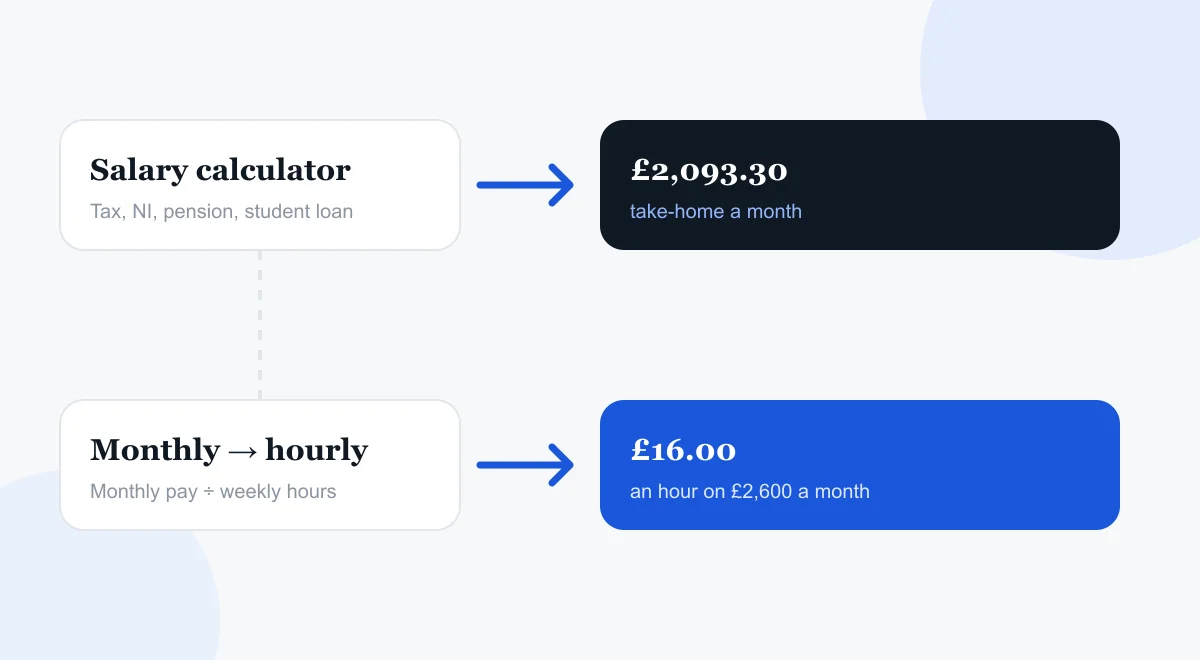
Step-by-Step Instructions
- 01
Enter your monthly salary, either gross or net, in the salary box.
- 02
Type in the hours you work in an average week.
- 03
Click “Calculate” and read your hourly rate straight off the result.
That's the whole process. This monthly salary to hourly calculator UK tool works for full-time staff, part-time staff, and everyone in between.
Get this right
What Counts as Your Working Hours
This is the part people get wrong most often. So let's slow down here. Your contracted hours are the hours your employer pays you for. They are not the hours you sit at your desk. Do you take an unpaid lunch break? Leave that hour out of your weekly total. Does your contract say 37.5 hours? Don't round it up to 40 out of habit. That habit makes your hourly rate look lower than it really is. Pull the exact figure from your contract or payslip. Don't estimate. The result will match reality much better.
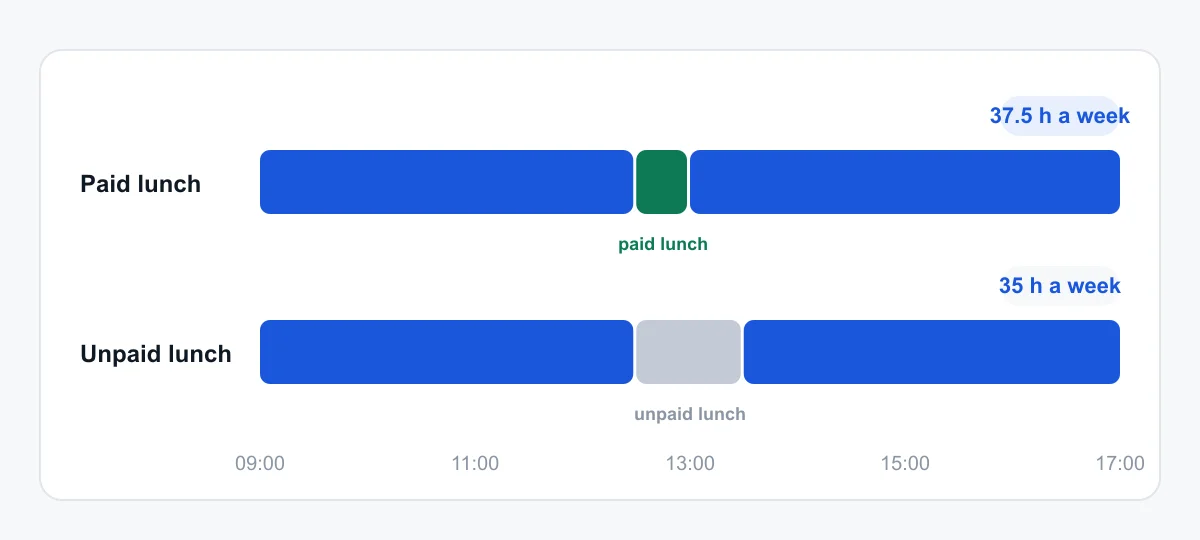
Here's an example. Someone who works 9 to 5 with a paid 30-minute lunch gets 37.5 paid hours a week. Not 40. Someone on the same hours with an unpaid hour for lunch only gets paid for 35 hours. Two contracts can look almost the same on paper. But they can give very different hourly rates. One small detail makes the difference.
Two tools
How This Tool Differs From Our Main Salary Calculator
This calculator
“What is my pay worth per hour?”
- Monthly figure + weekly hours
- Gross or net, your choice
- No tax bands or NI thresholds
Main UK salary calculator
“What do I actually get paid?”
- Income tax, NI, pension, student loan
- Yearly, monthly, weekly and daily pay
- Scotland and the rest of the UK
This monthly salary to hourly calculator is a standalone tool. It has one job: turning a monthly figure and your weekly hours into an hourly rate. It sits on its own page. Our main UK salary calculator is a separate tool. It handles income tax, National Insurance, pension contributions, and student loan repayments. It covers yearly, monthly, weekly, and daily pay.
The two tools answer different questions. The main calculator answers: “What do I actually get paid?” It accounts for every deduction. This one answers: “What is my pay worth per hour?” Enter your gross or net monthly figure. It converts that straight into an hourly rate. No tax bands. No NI thresholds. No deductions to track at all.
Haven't worked out your take-home pay yet? Start with our main UK salary calculator first. Get your net monthly figure. Then bring that number back here to convert it into an hourly rate.
The maths
How to Calculate Hourly Pay From Monthly Salary
Want to check the maths yourself? Or just understand what's happening behind the result? Here's how to calculate hourly pay from a monthly salary by hand.
The Basic Formula
First, multiply your monthly salary by 12. That gives your annual figure. Next, divide that by 52. That gives a weekly amount. Then divide again by your weekly hours. Written out, it looks like this:
Hourly rate
(Monthly × 12) ÷ 52 ÷ hours
Why go through 12 and 52, rather than use one flat number? Because months aren't all the same length. Weeks are. Going through the annual figure smooths that out. It gives you a steadier hourly number than guessing from one odd month.
Why a Flat Divide-by-160 Trick Falls Short
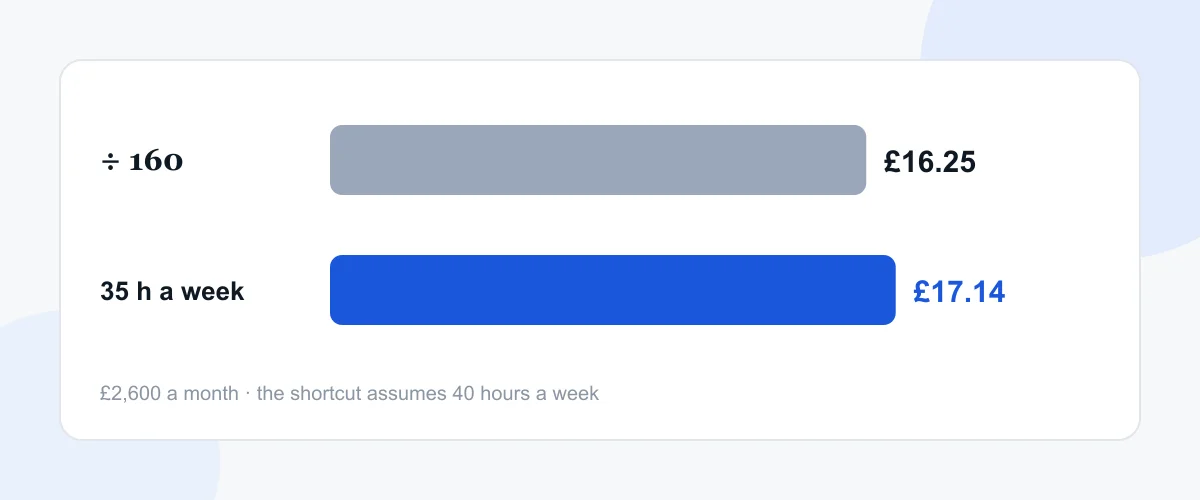
A common shortcut is dividing monthly pay by 160. This assumes everyone works a 40-hour week across four weeks. It's close for some people. It's way off for others. Do you work a 35-hour week? Do you have a nine-day fortnight? Do you get built-in unpaid breaks? Then this shortcut gives you a skewed answer. That's why a calculator that asks for your real weekly hours gives a far more honest figure than a generic formula ever could.
Changing hours
How Do You Calculate an Hourly Rate From a Monthly Salary
The core formula is the same one we covered above. Annual figure, then weekly, then hourly. It gets trickier when your hours change week to week.
Accounting for Irregular or Part-Time Hours
Do your hours really vary week to week? Take an average across a typical month. Don't pick your busiest or quietest week. Add up your total hours over four or five weeks. Divide by the number of weeks. Use that average figure in the calculator. It won't be perfect every single week. But it will be far closer to the truth than guessing from one odd fortnight.
For part-time work, the same formula applies. No adjustment needed. A monthly salary to hourly calculator doesn't care if you work 16 hours a week or 45 hours. Plug in your real hours and your real monthly pay. The result holds up either way.
Does overtime form part of your week? Decide up front: do you want your base hourly rate, or a blended rate that includes the extra hours? For comparing job offers, your base rate usually gives a fairer picture. Overtime isn't guaranteed every week.
Averaging four weeks
- Week 142 h
- Week 235 h
- Week 338 h
- Week 435 h
Tick “My hours vary” in the calculator to do this for you.
Worked example
A Worked Example: £2,600 a Month
Say you're paid £2,600 a month. You work a standard 37.5-hour week.
First, find your annual figure: £2,600 × 12 = £31,200 a year. Next, turn that into a weekly amount: £31,200 ÷ 52 = £600 a week. Finally, divide by your hours: £600 ÷ 37.5 = £16 an hour.
That £16 figure is your true hourly rate. Hold on to that number. You'll need it if a recruiter offers you a day rate. You'll need it for an hourly contract role too. Or if you want to compare a part-time job against your current one.
- £2,600 × 12
- £31,200 a year
- £31,200 ÷ 52
- £600 a week
- £600 ÷ 37.5
- £16.00 an hour
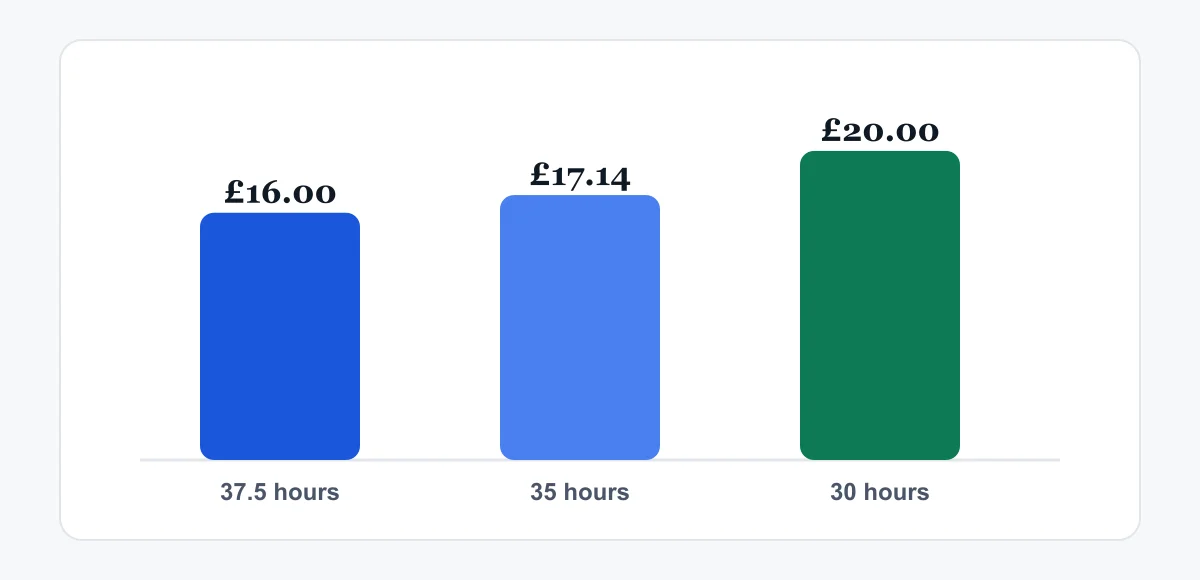
Change just one number and the answer shifts a lot. Drop those same hours to 30 a week instead of 37.5. Your hourly rate climbs to £20. Your monthly pay hasn't moved at all. That's the whole point of working this out properly. A “good salary” doesn't always mean a “good hourly rate.” Always check both numbers before you sign anything.
Why it matters
Why Knowing Your Hourly Rate Actually Matters
A monthly figure hides a lot. Two people can earn the same monthly salary. But they can work very different hours. Break it down, and one of them is being paid far better than the other.
This matters most in three cases.
Comparing job offers
A slightly lower monthly salary with shorter hours can beat a higher salary that demands far more of your week.
Checking overtime
Are you offered extra shifts at a flat bonus, not a proper hourly uplift? Your base rate tells you fast if that bonus is generous or thin.
Switching to part-time
Dropping your hours should leave your hourly rate untouched. If it doesn't, raise that with HR.
Going freelance or contracting?
Are you weighing up a move into freelancing or contracting? Worth a mention here too. Day rates and hourly rates for self-employed work need to cover more. Think holiday pay, sick pay, and admin time. An employer normally absorbs those costs for you. So your hourly figure from this calculator is just a starting point. It's not a like-for-like match.
Check against the legal minimum
Check your hourly rate against the legal minimum every so often, too. Do this after a pay freeze. Do this after a change to your contracted hours. The government's minimum wage and living wage calculator confirms if you're paid correctly. Acas's guidance on checking your pay explains the rules in plain language for your age group. Both tools are free. Both take a couple of minutes.
- £12.71 · National Living Wage (21 and over)
- £10.85 · ages 18 to 20
- £8.00 · under-18s and apprentices
Watch out
Common Mistakes When Converting Monthly Pay to an Hourly Rate
A few errors come up again and again. Check your numbers against these before you trust the result.
The biggest mistake is using your contracted hours, not your actual hours. Do you regularly work unpaid overtime? Your real hourly rate is lower than your contract implies. The calculator can only work with the hours you give it.
Forgetting paid holiday is another mistake. Your monthly salary already includes your paid leave. It's smoothed out across the year. So there's no need to deduct holiday weeks on top. The calculator's annual-then-weekly approach already covers that.
Mixing gross and net figures trips people up, too. Decide upfront: is this your pay before tax, or after it? Stay consistent. Compare a gross monthly figure against someone else's net hourly rate, and you'll get a misleading answer every time. Our breakdown of gross pay versus monthly take-home explains this in plainer terms. Check it if you're ever unsure which figure you're holding.
Finally, rounding too early. Round your weekly hours or your monthly salary before you start, and small errors build up through the sum. Keep the precise figures until the last step. Round only the final answer.

In short
Conclusion
A monthly salary tells you what arrives in your account. It doesn't tell you what your time is worth. This monthly salary to hourly calculator closes that gap. It turns your monthly pay and your real working hours into one clear hourly figure. Use that figure to judge a job offer, an overtime shift, or a part-time switch on its true merits.
Get your hours right. Stay consistent between gross and net. Do both, and the number you get back will hold up against any payslip or contract you compare it to.
What is your time worth?
Go to the calculatorQuestions
Frequently Asked Questions
How to calculate the hourly rate from the monthly salary?
Multiply your monthly salary by 12. That's your annual figure. Divide that by 52 for a weekly amount. Then divide by your weekly hours. The calculator above runs the same formula instantly. You don't need to do it by hand every time your salary or hours change.
How do you calculate the hourly rate from a monthly salary if I'm part-time?
The same way as a full-time role. Enter your actual monthly pay. Enter your real weekly hours, whatever they are. The formula gives you an accurate hourly rate, no matter how few or how many hours you work.
Does this calculator use gross or net monthly salary?
It works with whichever figure you enter. Decide first which one you need. Use your gross salary to compare job offers fairly. Tax and National Insurance vary by person. Use your net salary if you want to know what your actual take-home pay works out to per hour.
What if my hours change from week to week?
Take an average over four or five typical weeks. Don't pick a single one. Add the hours up. Divide by the number of weeks. Use that figure. It gives a more reliable hourly rate than one unusually busy or quiet week.
Is this the same calculation my employer uses for my payslip?
Usually, yes, for the basic hourly figure. It can differ in overtime premiums, shift allowances, or bonuses. Some employers fold these into an average rate. Others list them separately. Does your number look off? Check if extra payments are blended into your employer's figure.
Why is my hourly rate different from a colleague on the same monthly salary?
Hours are almost always the reason. Two people can earn the same monthly salary. But they can work very different weekly hours. So their actual hourly rate isn't the same at all. The value of their time differs, too. Their payslips might look alike at a glance. But the real numbers don't match.
Do bonuses or commission count in this calculation?
No, leave them out. A bonus or commission payment is a one-off extra, not your base pay. Add it in, and your hourly rate for that month looks higher than your normal rate. Use your standard monthly salary instead. That gives you a true, repeatable hourly figure you can rely on month after month.